
UI vs UX Design: A Beginner’s Perspective on What Really Matters

UI vs UX Design: A Complete Beginner’s Guide to Understanding What Really Matters
Introduction
If you’re starting your journey in design, this UI vs UX beginner guide will help you clearly understand one of the most confusing topics—the difference between UI (User Interface) and UX (User Experience).
At first, these terms may sound similar. But once you begin exploring UI UX design, you’ll realize they focus on completely different aspects of a product.
– UI is about how things look
– UX is about how things work
Understanding this difference early will save you a lot of confusion as a beginner.
UI vs UX at a Glance
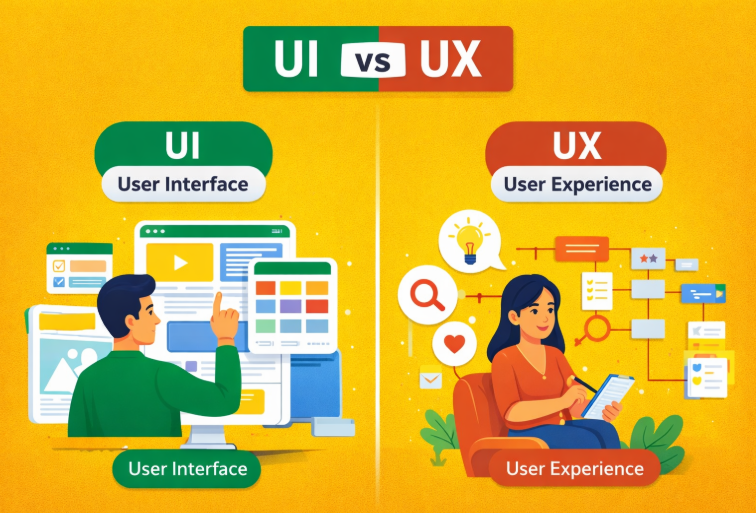
Understanding UI vs UX Design
In this UI vs UX beginner guide, let’s break it down in the simplest way:
UI Design (User Interface) focuses on visuals and presentation
UX Design (User Experience) focuses on usability and user journey
Both are essential to create a successful digital product.
What is UI Design?
UI (User Interface) is all about the visual experience of a product.
It focuses on:
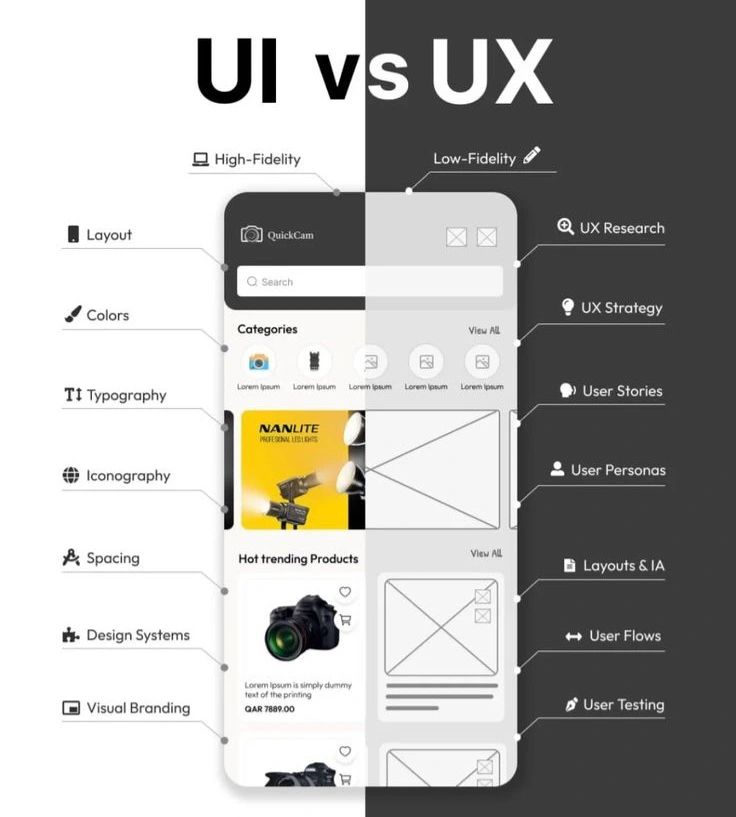
- Colors
- Typography
- Layouts
- Spacing
- Buttons and icons
- Branding elements
In simple terms, UI is what users see on the screen.
A good UI makes a product visually appealing and engaging.
What is UX Design?
UX Design focuses on the overall user experience and journey.
It ensures that:
- The product is easy to use
- Navigation is smooth
- Users can achieve their goals without confusion
Key elements of UX Design include:
- User research
- User personas
- User flows and journeys
- Wireframing (low-fidelity designs)
- Information architecture
- Usability testing
UX designers make sure the product is functional, intuitive, and user-friendly.
Key Difference Between UI and UX
| UI Design | UX Design |
|---|---|
| Focuses on visuals | Focuses on experience |
| Deals with look & feel | Deals with usability |
| Includes colors, fonts, layouts | Includes research, flows, testing |
| Creative & aesthetic | Logical & analytical |
What I Learned as a Beginner
While learning UI UX design, here are some important realizations:
- A design can look beautiful (good UI) but still feel frustrating (bad UX)
- UX is more about logic, structure, and problem-solving
- UI is more about visual presentation and creativity
- Both UI and UX must work together
This balance is what creates a great user experience
Why UI and UX Must Work Together
You cannot build a successful product with only one.
- Good UI + Bad UX = Looks good, but confusing
- Good UX + Poor UI = Works well, but unattractive
Tip: The best digital products are those where users don’t even notice the design—it just feels easy and natural.
How to Start Learning UI UX Design
If you’re following this UI vs UX beginner guide, here’s a simple roadmap to begin:
- Learn basic design principles (colors, typography, layout)
- Understand UX concepts (research, flows, usability)
- Practice using tools like Figma
- Work on real-world projects
- Build a strong portfolio
Consistency and practice are key to improving your skills.
Beginner Tips for UI UX Design
- Don’t aim for perfection in the beginning
- Focus on learning by doing
- Analyze real apps and websites
- Keep improving your designs
– Every expert designer started as a beginner.
A Note for Beginners
If you’re just starting out:
- It’s okay to feel confused
- It’s okay to make mistakes
- That’s part of the learning process
The key is to keep practicing and learning every day.
For more insights on UI and UX design concepts, you can explore additional industry resources available online.
Final Thoughts
This UI vs UX beginner guide shows that both UI and UX are equally important in modern design.
- UI attracts users with visuals
- UX keeps users engaged with a smooth experience
If you want to build a successful career in UI UX design, focus on learning both skills and applying them together in real-world projects.
FAQs
1. Why is UI and UX confusing for beginners?
Because both are closely related but focus on different aspects — visuals vs experience.
2. Can I learn UI UX without design background?
Yes, many beginners start from scratch and build skills over time.
3. Which is more important: UI or UX?
Both are equally important and must work together.
4. How do I start learning UI UX?
Start with basics, tools like Figma, and practical projects.